
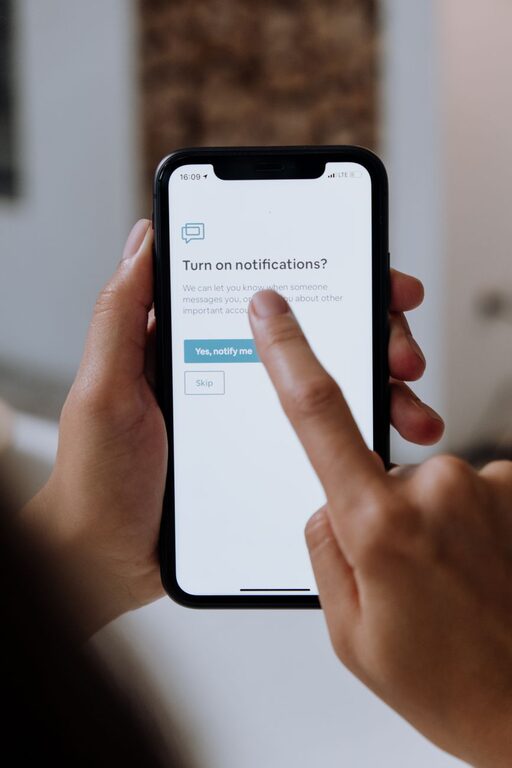
In today’s digital world, notifications are everywhere—popping up on our phones, computers, and other devices, constantly vying for our attention. While they can be useful for staying informed and connected, notifications can also disrupt our focus, increase stress, and make it difficult to maintain a healthy balance between work and personal life. Setting boundaries with notifications is essential for improving productivity and well-being. This post shares practical tips to help you take control of your digital alerts without missing out on important updates.
Why Setting Boundaries with Notifications Matters
Notifications serve as prompts, reminding us about messages, emails, app updates, or social media interactions. However, when notifications become excessive or poorly managed, they can:
– Interrupt deep work and concentration
– Increase stress or anxiety levels
– Lead to multitasking and decreased efficiency
– Disrupt personal time and relationships
By setting clear boundaries, you can reduce distractions, stay focused, and ensure your notifications support rather than hinder your daily life.
Step 1: Understand Your Notification Sources
Begin by identifying where your notifications come from. Common sources include:
– Email apps
– Messaging apps (e.g., SMS, WhatsApp, Slack)
– Social media platforms (e.g., Facebook, Twitter, Instagram)
– Calendar and reminder apps
– News apps or other informational tools
– Work-related software (e.g., project management or collaboration tools)
Knowing which apps or services send you the most notifications will help you decide what to keep, modify, or disable.
Step 2: Customize Notification Settings
Most devices and apps offer options to customize notifications. Consider these actions:
– Turn off unnecessary notifications: Disable alerts from apps that aren’t essential.
– Use “Do Not Disturb” modes: Schedule times when all or selected notifications are silenced, such as during work hours or at night.
– Set priority notifications: Allow only important contacts or apps to send alerts.
– Adjust notification types: Choose between banners, sounds, vibrations, or badges based on what is least disruptive.
Take time to explore the settings on your smartphone, computer, and individual apps to find your preferred setup.
Step 3: Define Specific Times to Check Notifications
Instead of reacting instantly every time a notification pops up, try creating designated times to review them. For example:
– Check emails and messages only a few times a day
– Turn off push notifications outside of these windows
– Use scheduled breaks to catch up on non-urgent updates
This practice helps you stay in control of your attention and reduces the habit of constant checking.
Step 4: Use Technology Wisely
Leverage built-in and third-party tools to help manage your notifications:
– Focus modes: Many devices offer focus or concentration modes that limit interruptions.
– Notification summaries: Some platforms group non-urgent alerts into summaries delivered at a set time.
– App timers: Track and limit daily usage of certain apps to prevent over-engagement.
Using these tools effectively can streamline your digital experience.
Step 5: Communicate Your Boundaries
If you work in a team or have family and friends who frequently reach out, let them know about your notification boundaries. Explain when and how you prefer to be contacted to avoid misunderstandings.
For example:
– Setting expectations about response times
– Suggesting communication methods for urgent vs. non-urgent matters
– Encouraging the use of shared calendars or messaging tools for important updates
Clear communication helps reinforce your boundaries and supports mutual respect.
Step 6: Regularly Review and Adjust
Digital habits and work demands change over time, so it’s important to revisit your notification settings periodically. Reflect on questions like:
– Are certain notifications still necessary?
– Have your priorities shifted?
– Are you managing notifications in a way that supports your goals?
Adjust your settings accordingly to maintain a balance that works best for you.
Additional Tips for Notification Management
– Use vibration or silent modes in meetings or public spaces
– Prioritize notifications from key contacts like family or supervisors
– Avoid social media notifications during focused work or personal time
– Turn off sound alerts if they cause anxiety or distraction
– Consider uninstalling apps that send excessive notifications and aren’t essential
Conclusion
Setting boundaries with notifications helps create a more focused, less stressful digital environment. By understanding your sources, customizing settings, scheduling times to check alerts, using technology tools, communicating with others, and regularly adjusting your approach, you can regain control over your attention and improve productivity and well-being. Start small with one or two changes and build from there to create a healthy balance with your digital life.