
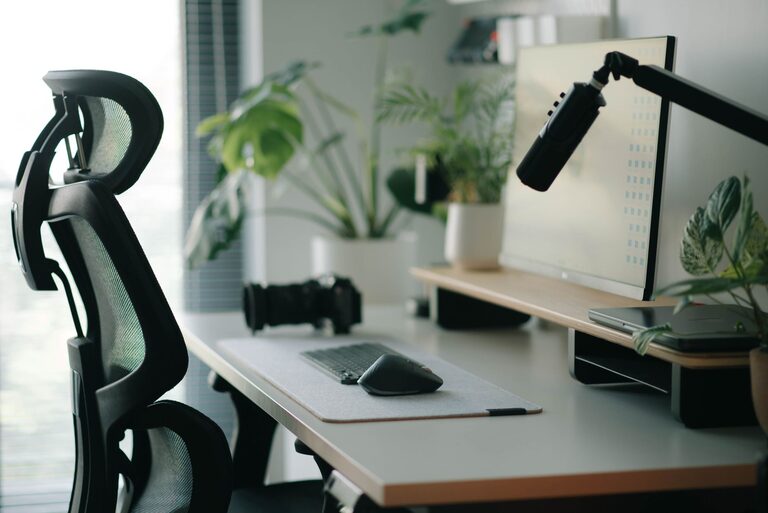
Creating a desk setup that promotes focus and comfort is essential for productivity, whether you work from home or in an office. A well-organized, ergonomic, and personalized workspace can help reduce distractions, prevent discomfort, and keep you engaged throughout the day. In this post, we’ll explore practical tips to design a desk setup tailored for both comfort and concentration.
Why a Good Desk Setup Matters
Your workspace is where you spend several hours each day, so it directly impacts your physical health and mental clarity. An ergonomic setup minimizes strain on your body, while an organized and inviting environment encourages focus. Taking time to arrange your desk thoughtfully can reduce fatigue, enhance creativity, and improve overall work satisfaction.
Choosing the Right Desk and Chair
Pick a Desk That Fits Your Space and Needs
– Size matters: Ensure your desk provides enough surface area for your computer, documents, and other essentials without feeling cramped.
– Height considerations: A standard desk height (around 28-30 inches) suits most people, but adjustable desks or standing desks offer added flexibility.
– Storage options: Desks with built-in drawers or shelves help keep items organized and within reach.
Invest in an Ergonomic Chair
– Adjustability: Look for chairs with adjustable seat height, backrest tilt, and armrests to fit your body properly.
– Lumbar support: Good lower back support helps maintain proper posture.
– Comfort: Choose a chair with adequate cushioning and breathable fabric for all-day comfort.
Monitor Placement and Screen Setup
– Eye level: Position your monitor so the top of the screen is at or slightly below eye level to avoid neck strain.
– Distance: Keep the screen about 20-30 inches from your eyes, roughly an arm’s length away.
– Dual monitors: Arrange multiple screens in a slight curve to minimize head movement.
Keyboard and Mouse Positioning
– Place the keyboard and mouse at a height that allows your elbows to stay close to your body and form about a 90-degree angle.
– Use a wrist rest if needed to reduce pressure on your wrists.
– Consider ergonomic keyboards or mice designed to reduce strain.
Lighting for Comfort and Focus
– Natural light: Position your desk near a window to benefit from natural daylight, which can boost mood and alertness.
– Avoid glare: Use blinds or curtains to control direct sunlight that causes screen glare.
– Task lighting: A desk lamp with adjustable brightness and direction helps illuminate your workspace without causing eye strain.
Organizing Your Desk Space
Declutter Regularly
– Keep only essential items on your desk to reduce distractions.
– Use cable organizers or clips to manage cords and prevent tangles.
Use Storage Solutions
– Use trays, drawer organizers, or small containers to sort stationery and office supplies.
– Store documents in labeled folders or file organizers for easy access.
Personalize Thoughtfully
– Add personal touches such as plants, photos, or artwork to make your space inviting.
– Avoid overcrowding your desk with too many decorations.
Incorporate Comfort and Wellness Items
– A footrest can improve circulation and posture.
– Consider a supportive seat cushion for added comfort.
– Keep a water bottle nearby to stay hydrated.
– Use noise-canceling headphones or play ambient music if you work in a noisy environment.
Maintain Good Posture and Take Breaks
– Sit with feet flat on the floor, back straight, and shoulders relaxed.
– Every 30-60 minutes, stand up, stretch, or take a short walk to reduce muscle tension and eye fatigue.
– Adjust your setup as needed throughout the day to maintain comfort.
Final Thoughts
Designing a desk setup that supports focus and comfort doesn’t have to be complicated or expensive. By prioritizing ergonomics, organization, lighting, and personal touches, you can create a workspace that helps you stay productive and comfortable every day. Remember, small changes can make a significant difference in your work experience, so start experimenting with these tips and tailor your setup to what feels best for you.